Introduction
Cross references can be added to a Service Record to enable information from other systems eg Council tax to be linked to the Account and viewed within Service. Reducing the need to open other systems and ensures that the CSA and Customer can see the same information when dealing with queries (ie customer can view from MyAccounts, where configured)
Adding Cross References
Cross references need to be added via the cross reference API which can be used to update the user profile within Service, the API can be added as required to an internal form so that relevant officers can add the records to the Customer records.
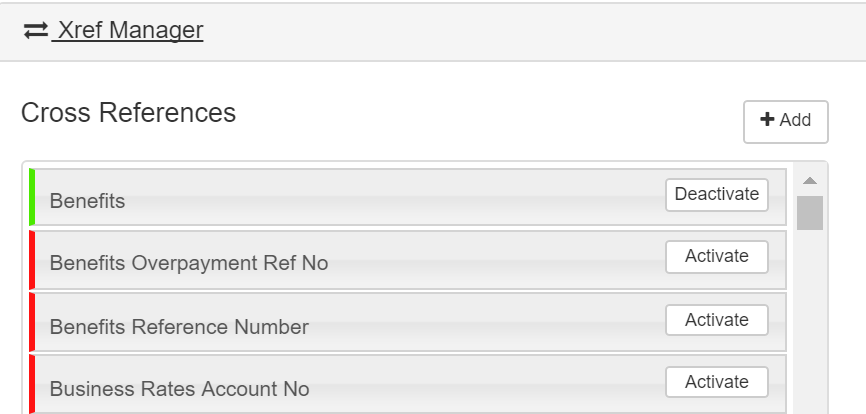
For the Cross references to be displayed as required they will need to be activated from within Service Settings as below.
CSAs should use the ‘Activate’ and ‘Deactivate’ buttons to do this.
See also
Cross reference API
top of page
- if user A adds an xref to customer, and then user B deletes them, the customer audit will show user A as having deleted them


