New Features and Enhancements
In this section, you'll find updates to existing features as well as brand-new functionality.
Attendance Tracking: Ability to Set a Limit on Unexcused Absences
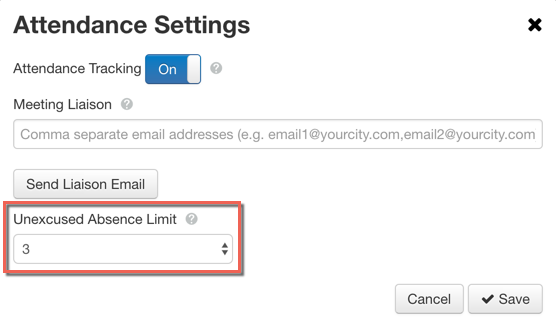
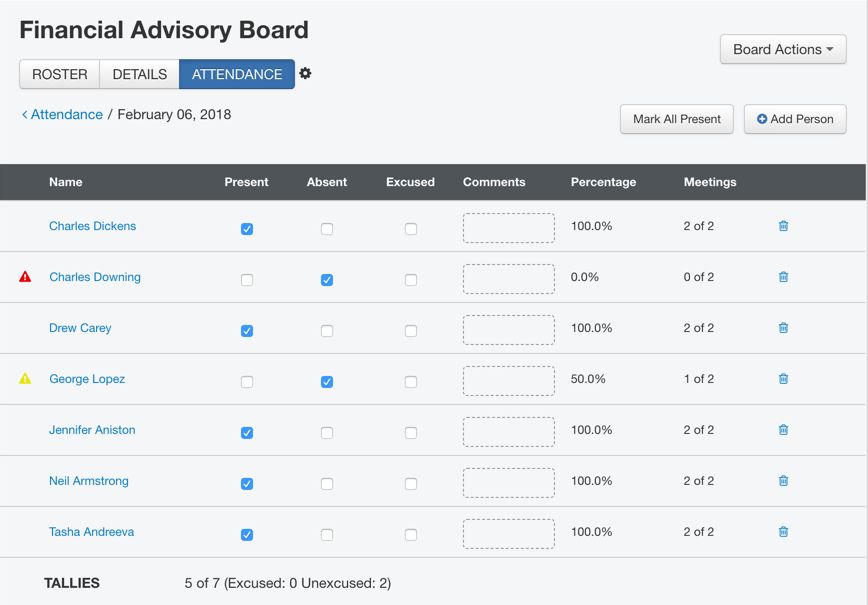
You can now set a limit to the number of unexcused absences allowed for a board. When a board member is one unexcused absence from the limit, a yellow alert icon appears in the attendance tracking table next to the member's name. The alert icon also displays next to the name in the attendance tracking member preview, and on the appointment and people records next to the attendance information for the board. Once the member hits the unexcused absence limit, the alert icon's color changes to red. To set a limit for a board, open the attendance tracking settings by clicking the gear icon next to the Attendance Tracking tab on a board, and select a number from the Unexcused Absence Limit drop-down menu.
Reports
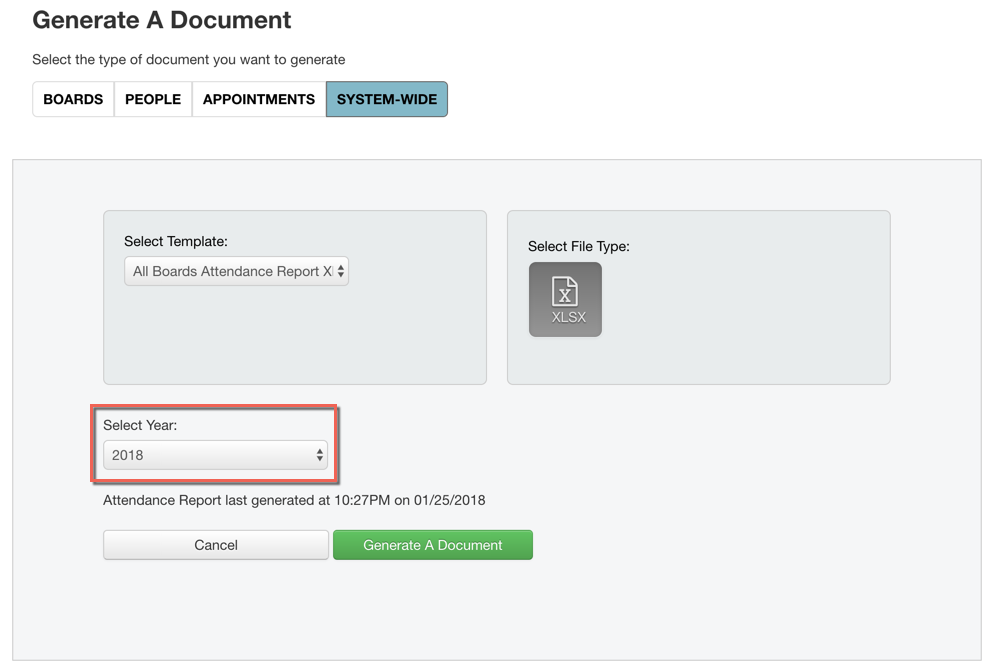
Last month we added two reports related to the Attendance Tracking feature, including the All Boards Attendance Tracking report. Now you can also generate the All Boards Attendance Report for past years. By default, the current year will be selected, but if you generate a report for a different year, the attendance data in the report will reflect the selected year. To generate a report, select the All Boards Attendance Report template on the Generate Document page, and then use the new Select Year drop-down menu to choose the desired year.
Board Liaisons
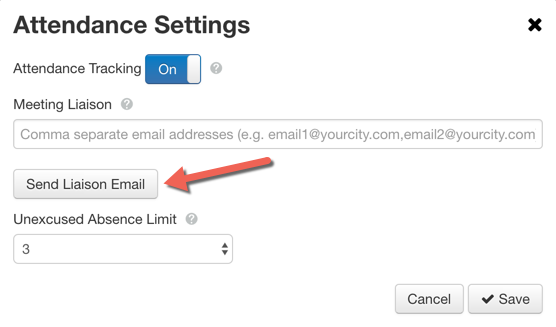
Administrators can now give liaisons access to a board prior to the occurrence of the first meeting. We added a Send Liaison Email button to the Attendance Tracking settings modal. When you click this button, the system sends a liaison email to all of the email addresses listed in the Liaison Email field. A link in the email provides access to the Board and enables liaisons to add meetings and edit attendance.
Note: Whether or not this button is used, the system will send a liaison email to every address in the field the day after each meeting occurs. The link in an email expires when the next email is sent.
Security
We have enhanced security on attachment links within reports.


