This article contains release notes for the February 21 release of Peak Agenda.
Improvement
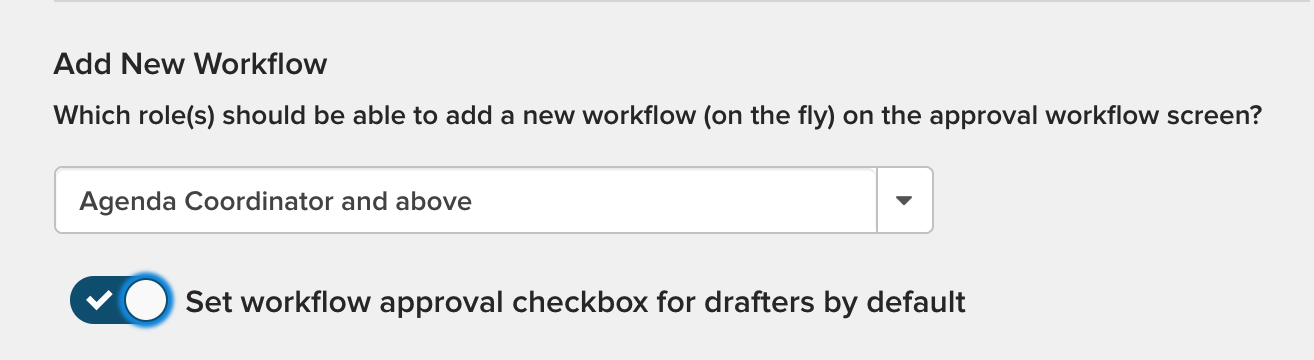
- Added a setting that will automatically check the 'Set up Approvals' checkbox on the agenda item creator screen. This means that when the drafter creates the item, they will automatically be taken to the Approval Status tab to add the workflow for the item. If the drafter does not want to add the workflow, they can uncheck the 'Set up Approvals' checkbox. Note: This setting does not affect the status of the checkbox on the edit agenda item screen, but the user can still add the workflow if necessary.

This setting has to be enabled before you can start using it. To enable, go to
Admin >
Configuration >
Settings, then switch the toggle in the
Add New Workflow section.
Bug Fix
- Updated the meeting date functionality for the agenda item creator. When selecting a meeting body, the drafter will see meetings for that body up to 12 months in the future. There will be no more scrolling through past meeting dates to get the future dates. On the meeting editor, we have fixed the meeting date field for recent items (on meetings within the last six months) so that the date appears and the View Agenda button functionality is restored.
If you want to learn about new features, improvements, and fixes for other products in the govMeetings product suite, check out the full release notes for
govMeetings: February 21, 2020.


