New Features and Enhancements
In this section, you'll find updates to existing features as well as brand-new functionality.
Uploading and Inserting Links to Files
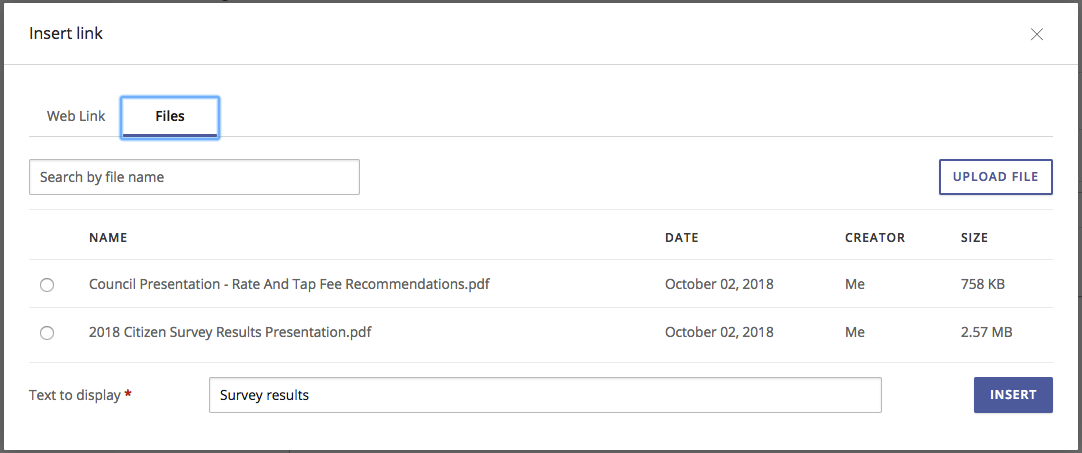
We made improvements to how you can upload and insert links to files from the text editor. Now, once you upload a file you can access it from any bulletin. This reduces the amount of times you have to upload the same file and helps you insert links to files more quickly. Below is an overview of uploading and inserting links to files:
- Files can be uploaded using the Upload File button. To access the Upload File button, click the insert link button in the text editor, then click the Files tab. Uploaded files are called "account files."
- Links to account files can be inserted using the Files tab.
- Search for uploaded account files using the Search by file name field.
- Uploaded account files can be accessed and searched from any text editor.
The image below shows the Files tab on the insert link window, with the search and upload features.
Bug Fixes
- Fix issue where Bulletin sending is prevented due to slow recipient count query and SMS field.


