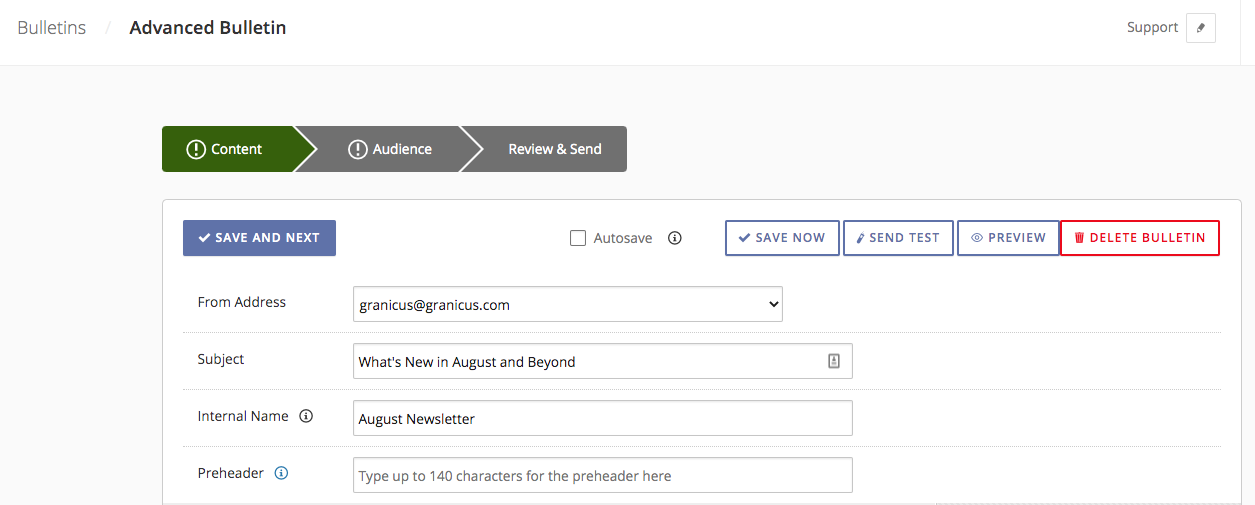
When creating an Advanced Bulletin, admins can set an
Internal Name, visible only to other admins, in addition to the bulletin's subject line.
 Note:
Note: This feature must be enabled at the account level. Please contact your govDelivery administrator or support to enable this feature.
The internal name is a helpful way to differentiate bulletins, especially if you regularly draft bulletins with similar subject lines, or send out bulletins to different subscriber segments with the same subject line but slightly different content, links, etc. The internal name can be added to your Advanced Bulletin when drafting the content, at the same time as setting the bulletin's subject line. There is a
400 character limit for internal names, and at this time the internal name field is only available for bulletins created with the Advanced Bulletin Editor. The internal name will
not be visible to any subscribers, only admins in your govDelivery account.
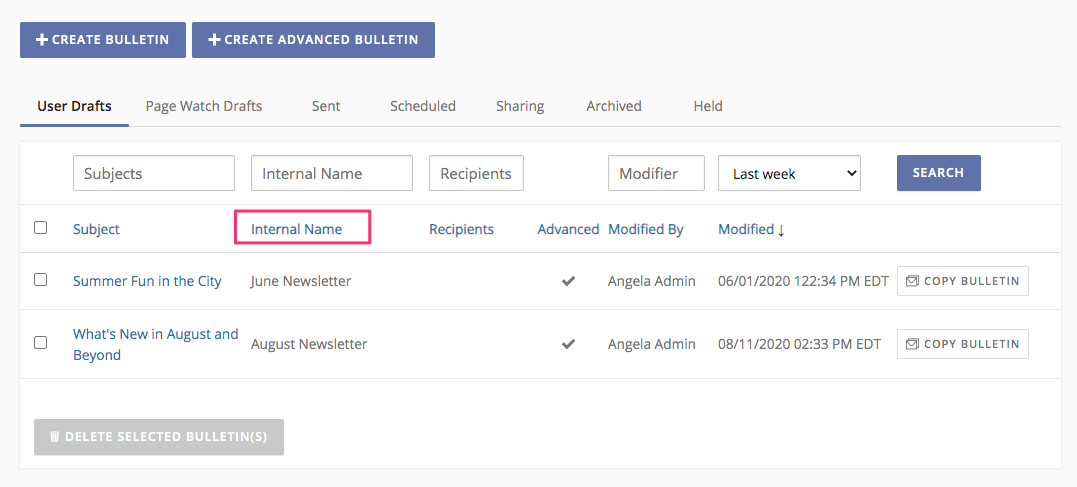
Admins can also view internal names on their lists of drafts, scheduled, or previously sent bulletins. The Internal Name field will display next to the subject lines, and admins can search, sort, or filter by internal names.