The Admin Usage Report covers how administrators in a particular account use govDelivery. The report shows you information about each administrator, their role, statistics on logins, and statistics on bulletin sends to the topics that they administer. The report shows you all admin usage since the date of account creation. To allow you to easily and efficiently sort through this data, this report is only available as a CSV.
Administrator Activity by Topic
Every administrator in an account is represented by at least one row in the report. For administrators who do not currently administer a topic, one row will contain information about them and their sign on activity, while topic-related fields will be blank. For administrators who do currently administer topics, there will be one row for each topic they administer. This report will give you a frame of reference for which administrators are inactive and in which topics, helping you evaluate the organization of administrator topic assignments and determine if re-assignments or deletions are necessary. It will also give you insight into which bulletin topics are most or least popular.
Who Has Access
Enterprise Account Administrators, Account Administrators, and Report Viewers have access to this report.
To access the Admin Usage Report:
- In the left navigation menu, click Reports.
- Under Account Reports, click Admin Usage.
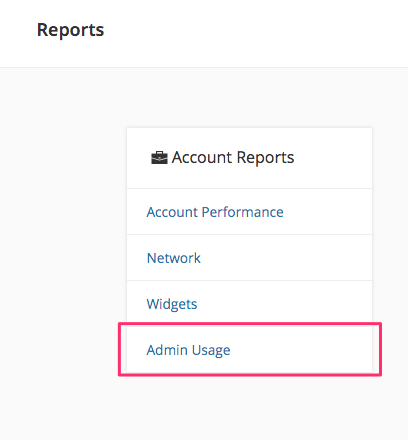
3. Click the Download CSV button to download the Admin Usage Report.
Field Definitions
- FULL_NAME - The full first and last name of the govDelivery administrator.
- EMAIL - The email address of the govDelivery administrator.
- TOPIC_NAME - The topic name (the long name administrators see while logged into govDelivery. For example, "City Council", or "Parks and Recreation").
- TOPIC_CODE - The code assigned by govDelivery to each of your topics to uniquely identify them.
- TOTAL_SENDS - The total bulletins sent to that specific topic by this specific administrator. This does not include bulletins sent to a topic that the admin does not currently administer.
- LAST_SEND_DATE - The last date the admin sent a bulletin to the specific topic.
- LAST_LOGIN_DATE - The date the admin last logged in successfully. If this is blank, it means the admin has never logged in or set their password for govDelivery.
- TOTAL_ADMIN_LOGINS - The total number of successful logins for that administrator. If the administrator has never successfully logged in, their total logins will be 0, and LAST_LOGIN_DATE will be blank.
- ROLE - The permission level for the govDelivery administrator. Account administrators, and web services account administrators have access to every topic in an account.


